Models from asset packs
Until now every tree, bush and car in the 3D client was a little shape the game built itself, in code. This entry is the first time the client can draw them from ready-made 3D models instead, loaded when the game starts. The models come from two free packs by Kay Lousberg, and the same mechanism will carry our own art later, and packs from mods. The shots are real frames from the client, with the packs off (“before”) and on (“after”), same camera, same town.
What an asset pack is
A pack is a folder. In it are 3D models (glTF files) and, beside each model, a small text file that says three kinds of thing:
- What the model stands in for. A broadleaf tree, a pine, a bush, a rock, a tuft of grass, a car.
- How big it is and which way it faces. Say how long a car is, or how tall a tree, and the client scales it to fit; say which end is the front, and cars drive forwards.
- Which colour takes the game’s palette. The leaves of a tree, or the body of a car, can be marked: those colours change from one tree or car to the next to follow the town’s palette, while the trunk, tyres and windows keep the model’s own look.
The pack also carries a short file with its name, its licence, its author and whether it was made by an AI. The client reads that first, and a pack with a missing licence, an unknown setting or a model it cannot read is reported and skipped, never half-loaded.
From a folder to the screen. Anything that fails the checks is named and left out, and the client draws its built-in shapes for whatever no pack provides.
The packs I tested with
To test the loader I needed real models, so I went looking for free asset packs and found two lovely sets by Kay Lousberg: the KayKit Forest Nature Pack and KayKit City Builder Bits. Both are released under CC0, free for anyone to use. They’re ideal for testing: one consistent style, sensible sizes, and a single shared texture per pack, the same rules the game’s own art will follow.
They are stand-ins, though, not the game’s final look. Once the game gets closer to something you can play, I’ll hire 3D artists or buy sets made for it, and those will go into the same folders the KayKit models use today.
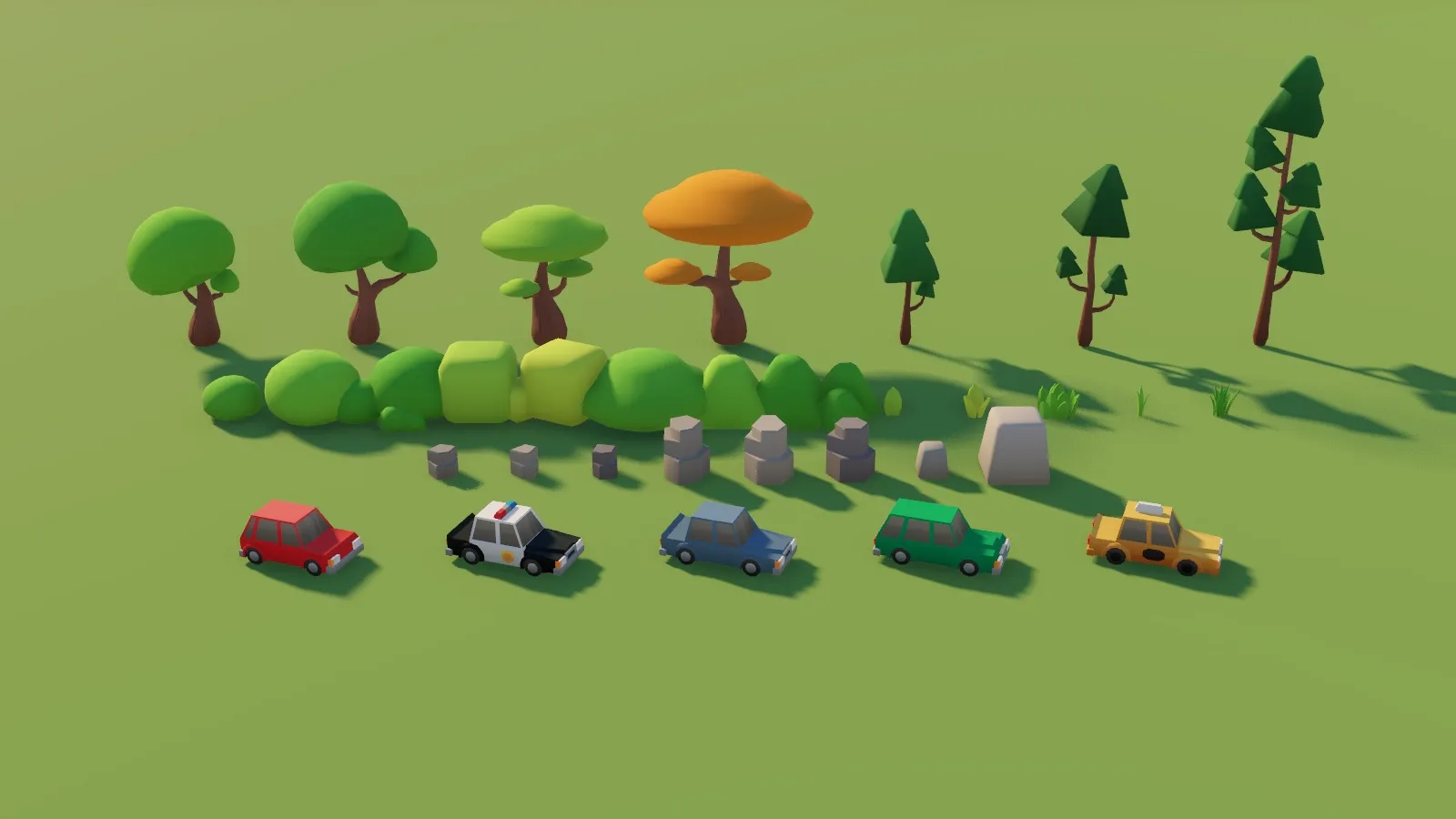
Everything I took from the two packs, drawn by the game: four broadleaf trees and three pines, eight bushes, five tufts of grass, eight rocks and five cars. The bushes, grass and rocks are shown three to four times their real size so they read at this distance. The orange tree is one taking an autumn colour from the town’s palette.
A street
Street trees were the first thing to look at, since they line every street.
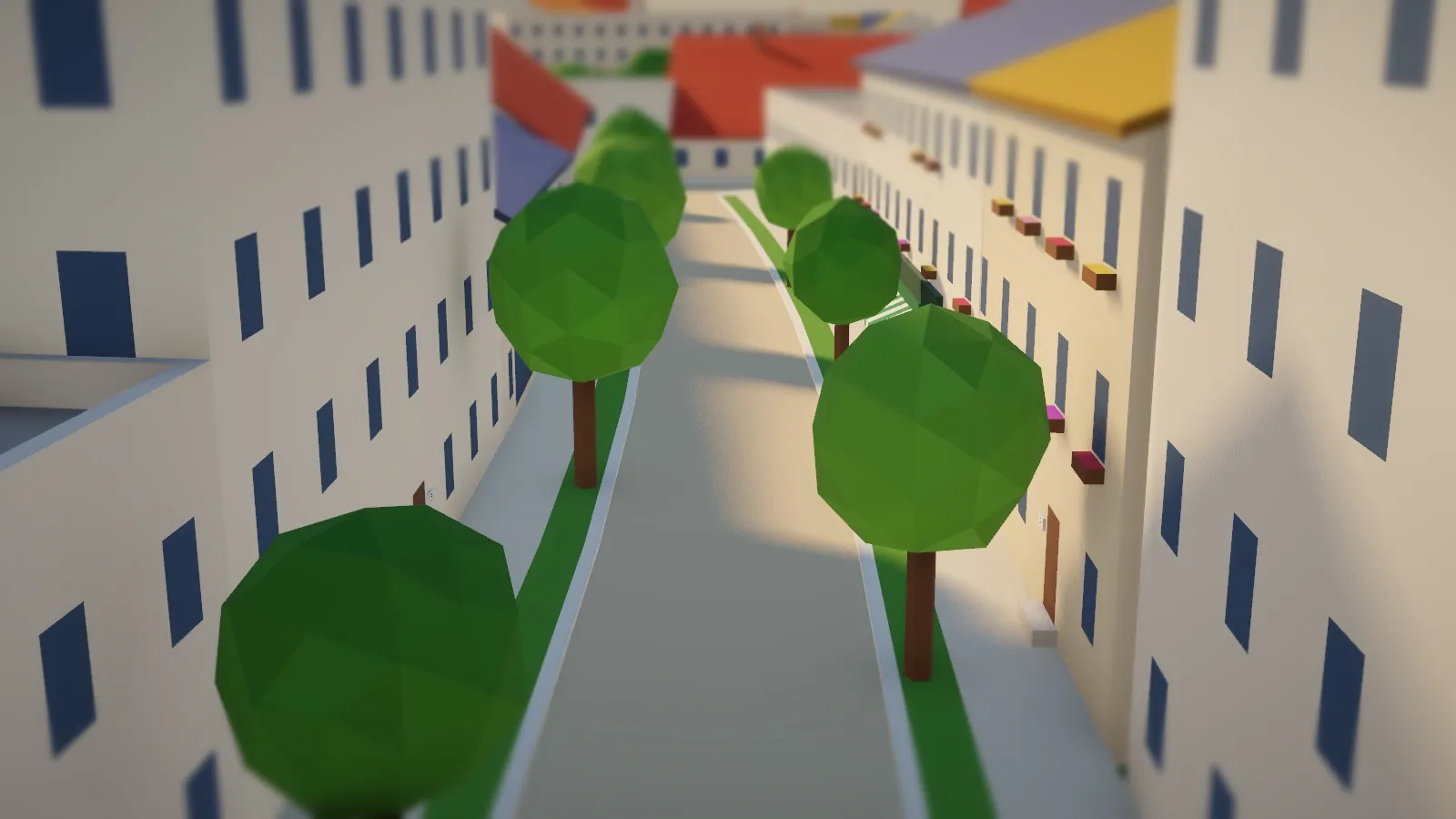
Before: the built-in street trees, faceted balls on straight trunks.
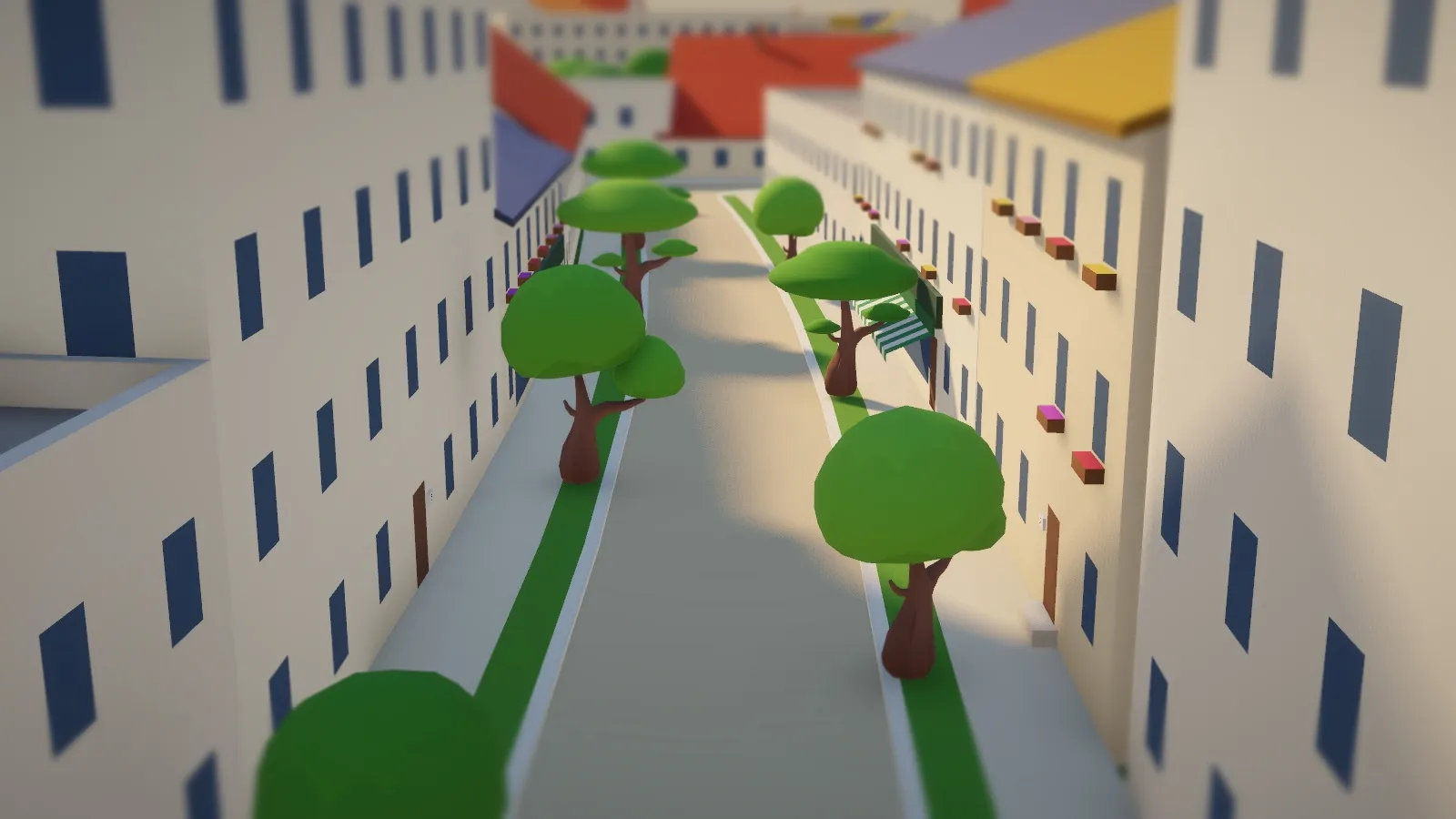
After: the same trees in the same places, from the pack. Look at the verge: forking trunks, crowns of different shapes, and a slightly different green on each.
A wood between the blocks
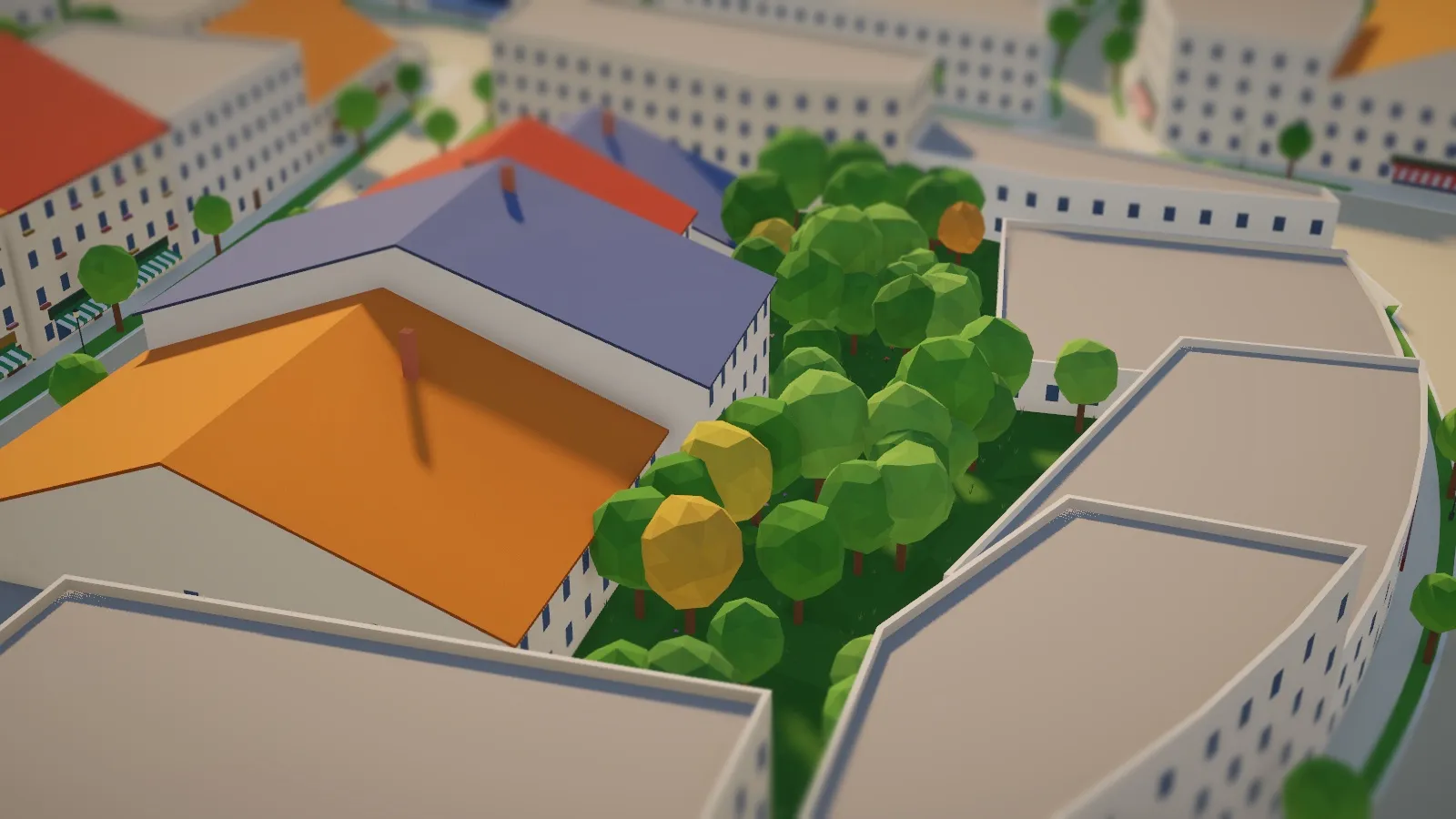
Before: the wood is made of one tree shape in several sizes.
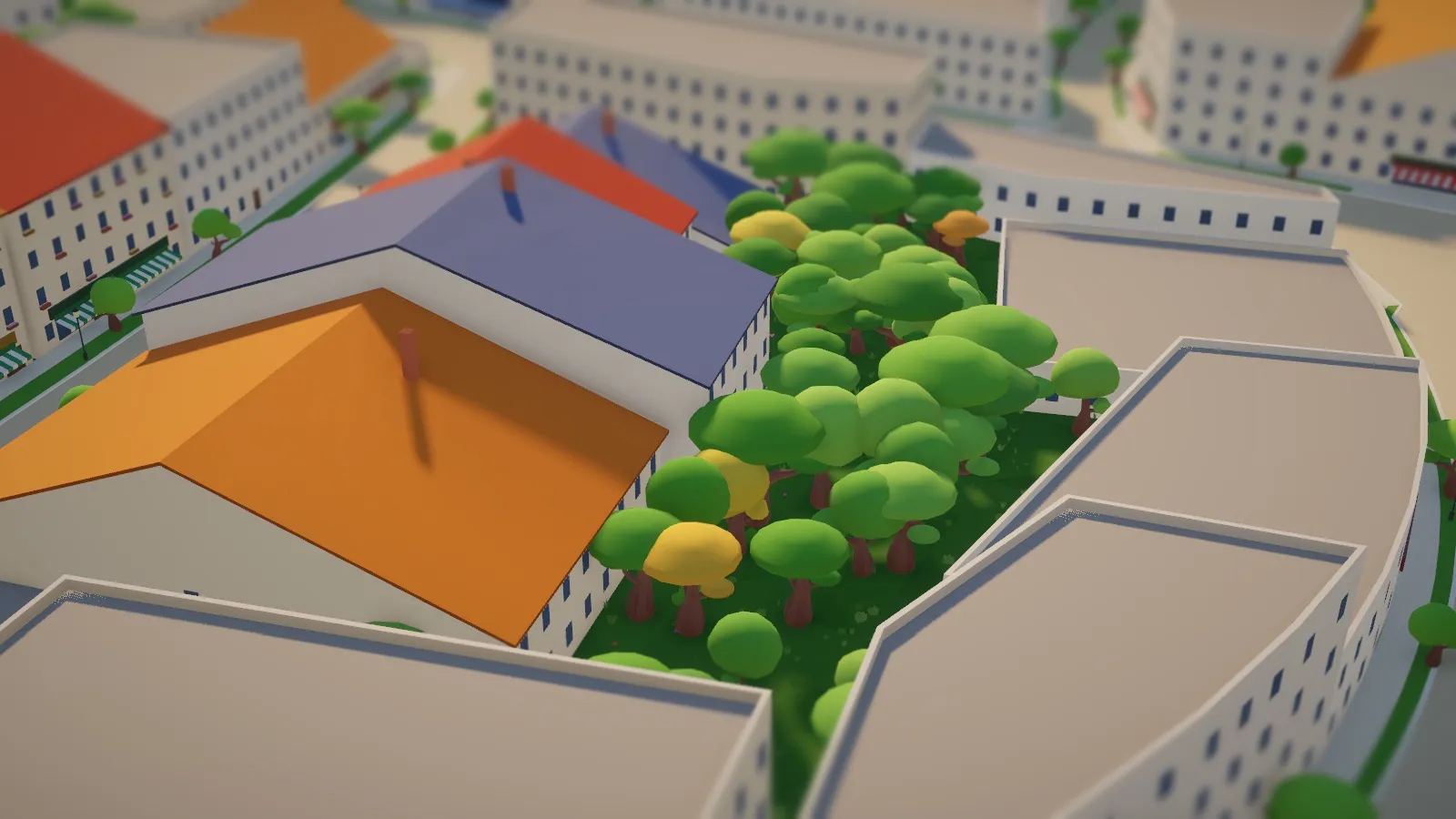
After: the same wood, tree for tree. The autumn yellows and oranges still come from the town’s own palette.
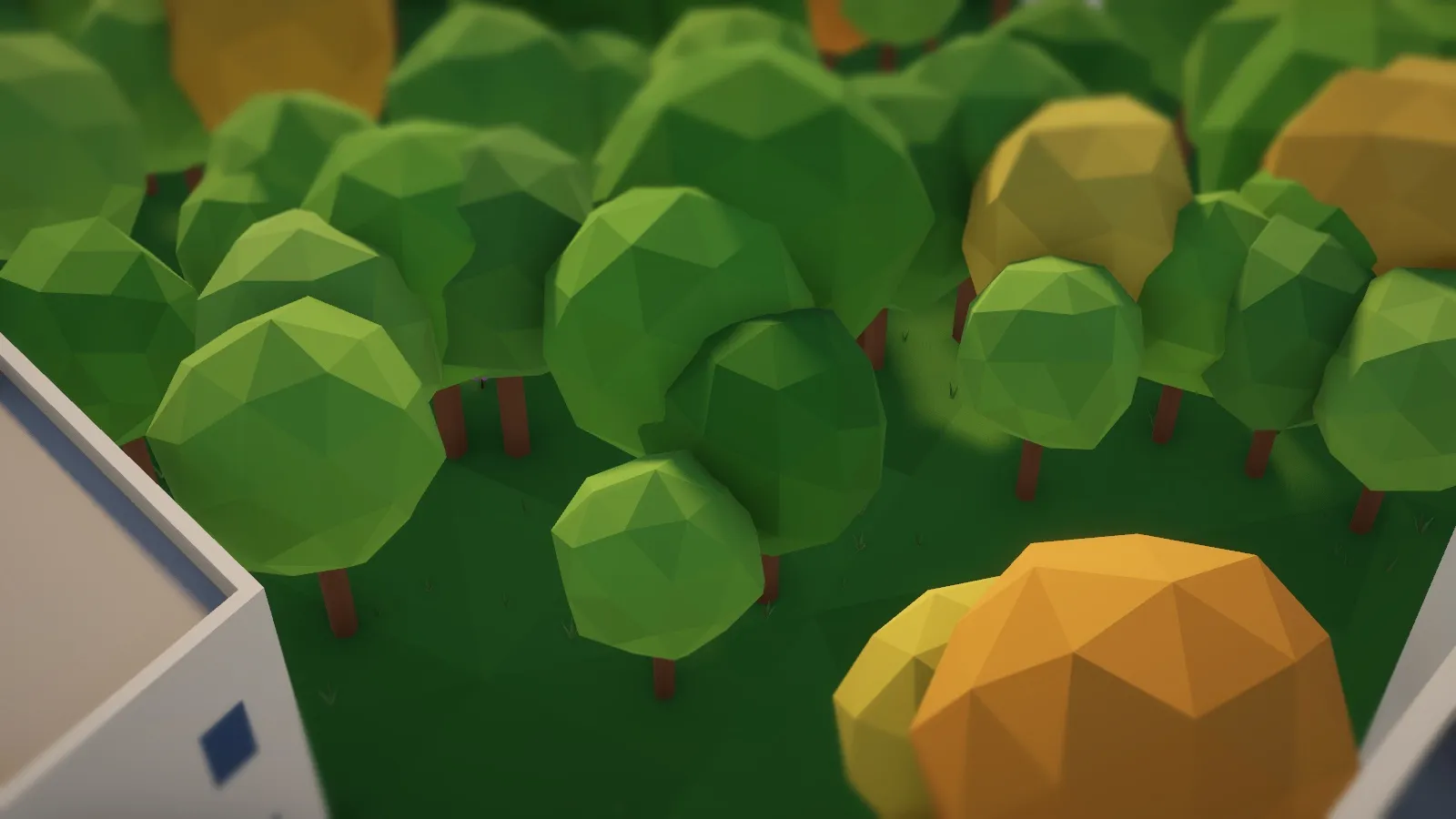
Closer in, before: flat facets on every crown.
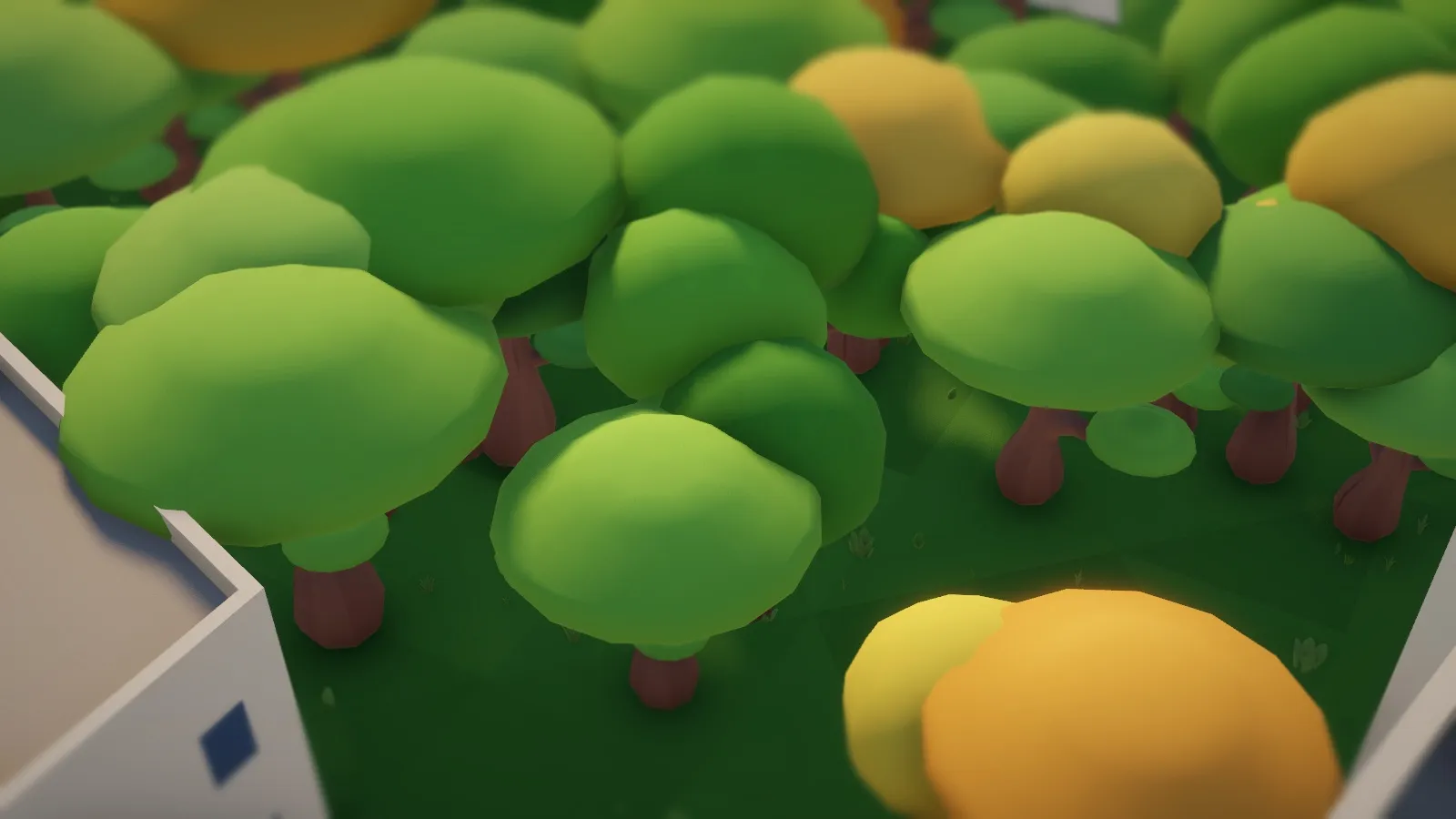
Closer in, after: the crowns are soft and the trunks have some weight.
A block of the town
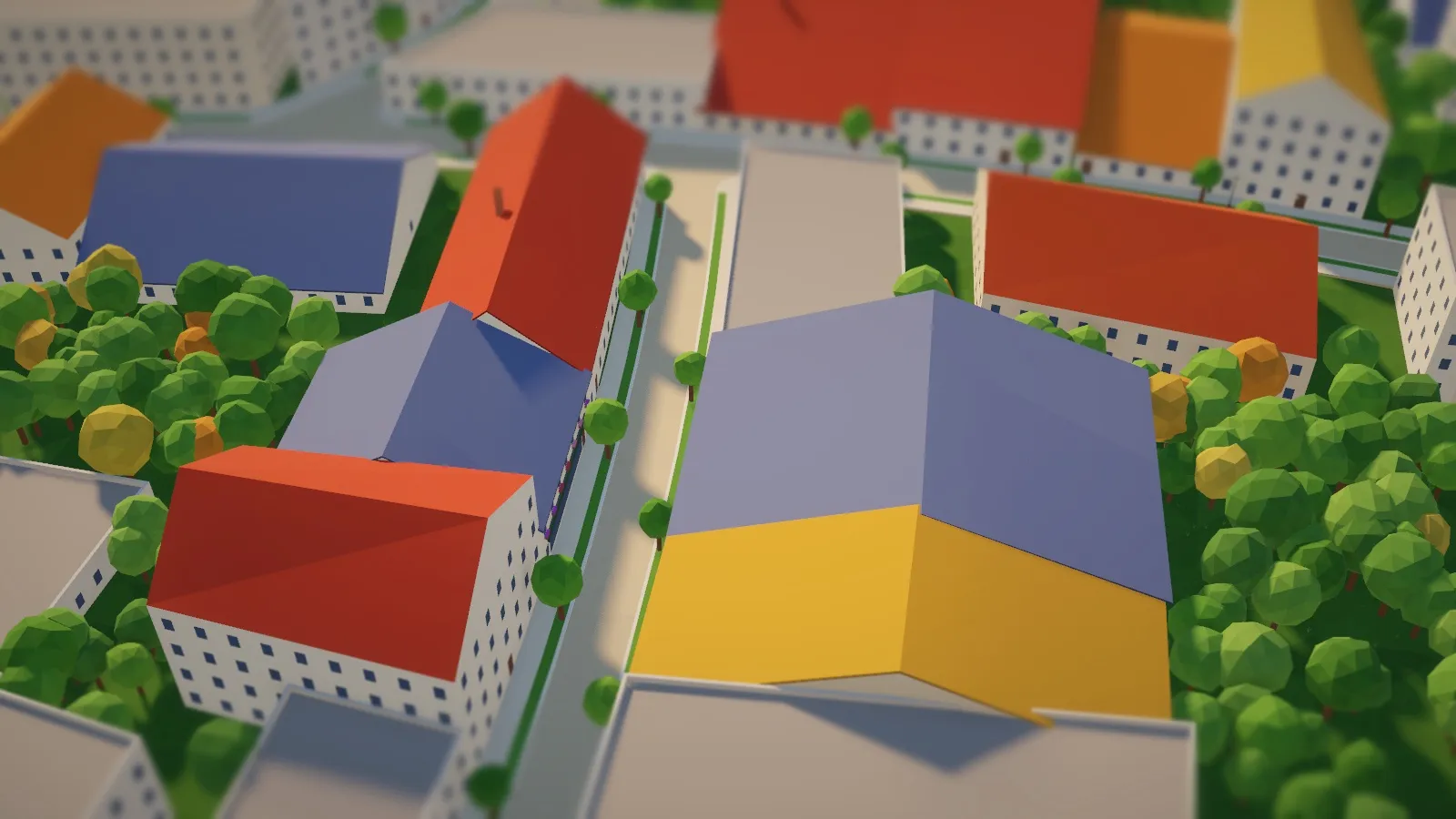
Before.
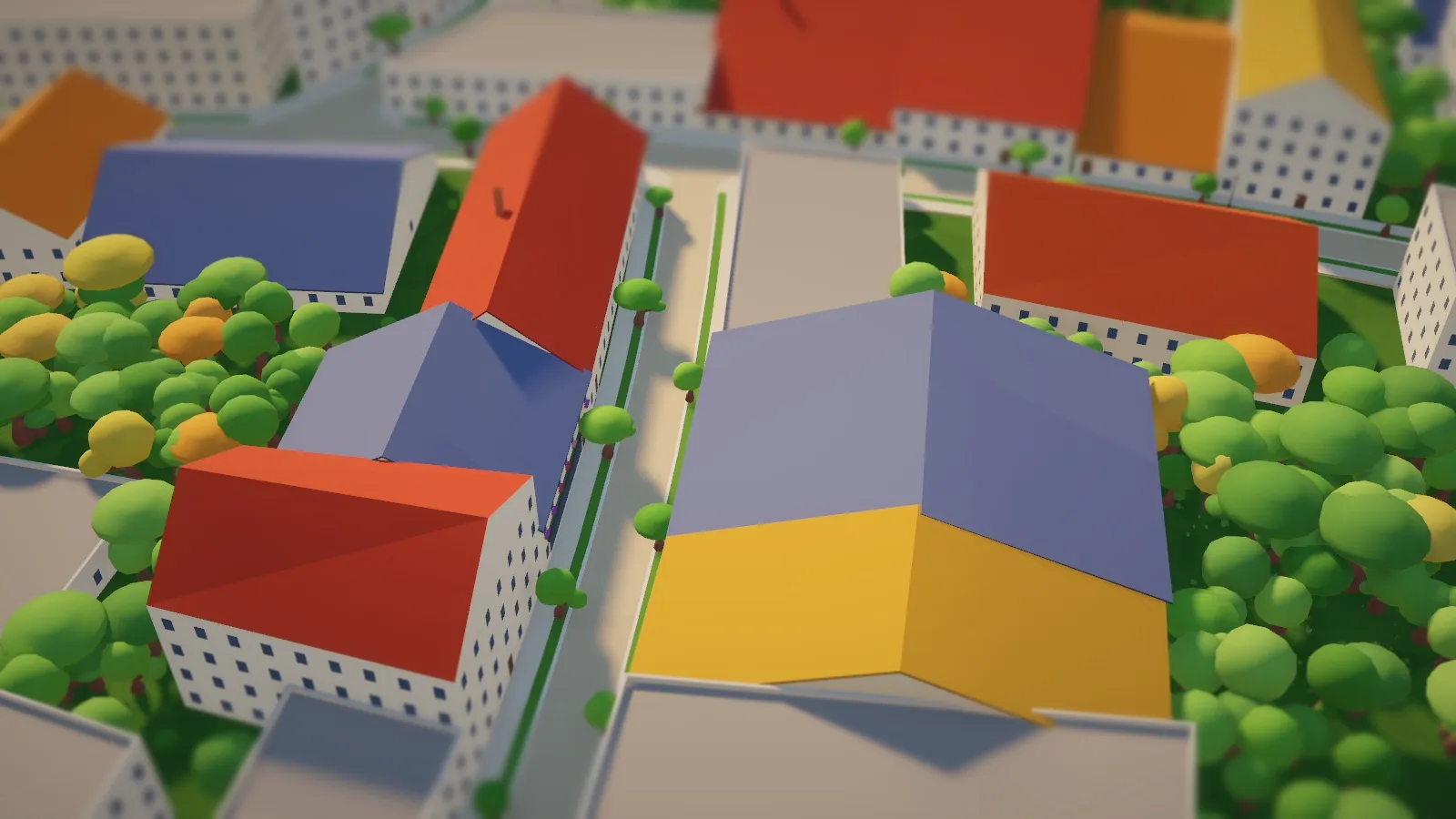
After: the gardens read as groves of different trees rather than copies of one.
Pines
The pack has pines too, tall, narrow and layered, and the alpine ground uses them.
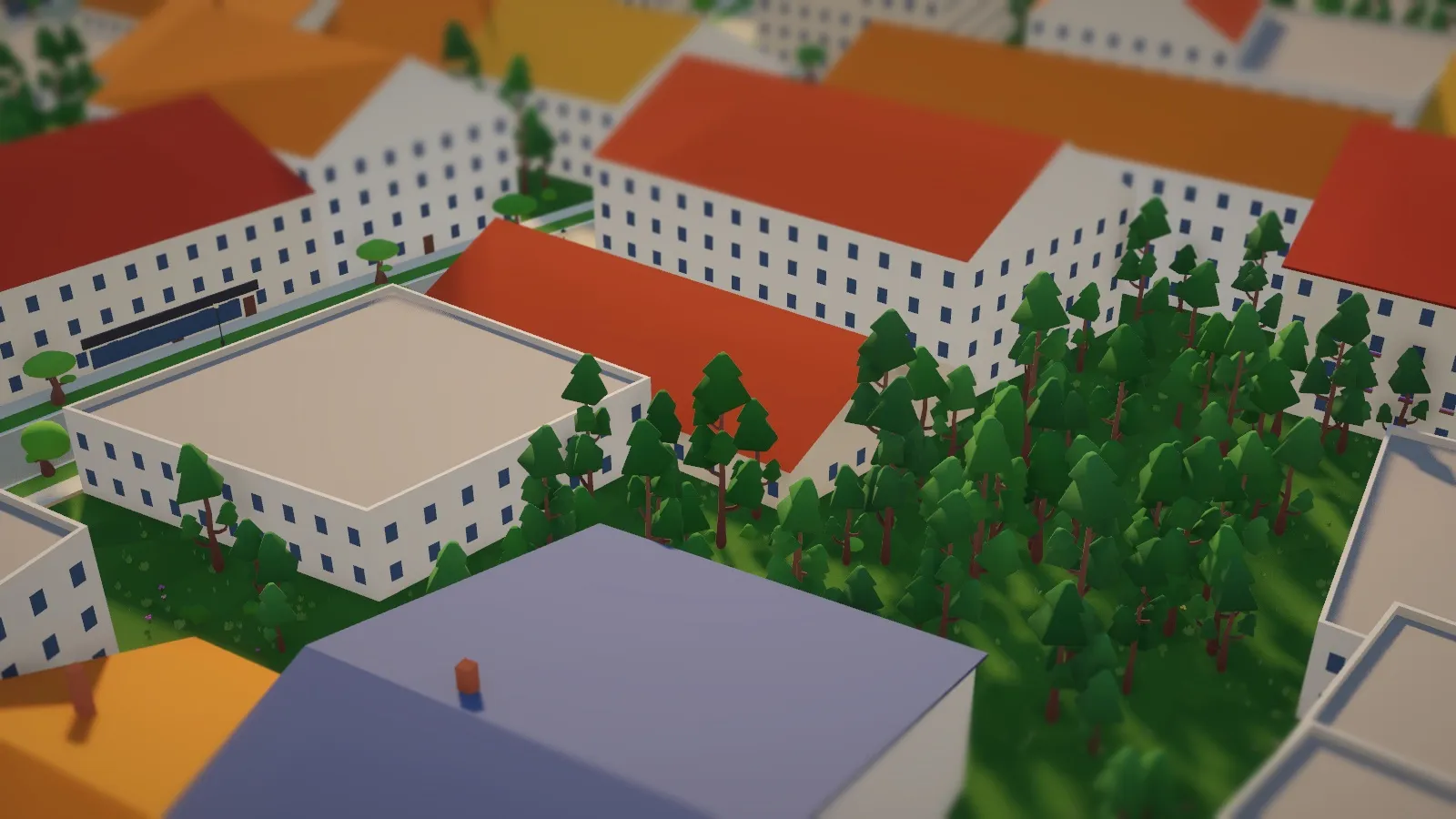
Pines on the alpine ground, from the pack: narrow, layered crowns on tall trunks, which the built-in shapes could not do.
Cars
Cars come from the same mechanism: the pack has five (a hatchback, a sedan, a station wagon, a police car and a taxi), and each car in the town picks one from its own random stream, rarer for the police car and the taxi. These five keep their own paint; a pack can also mark a car’s body colour so that every car takes its own colour from the town’s palette, while the wheels and windows keep theirs.
In the test town only a handful of cars are on the road at any moment (most people walk), so for these two shots we placed thirteen cars by hand on one street. Everything else is the game as it draws traffic: the same models, sizes and lanes, picked the same way.
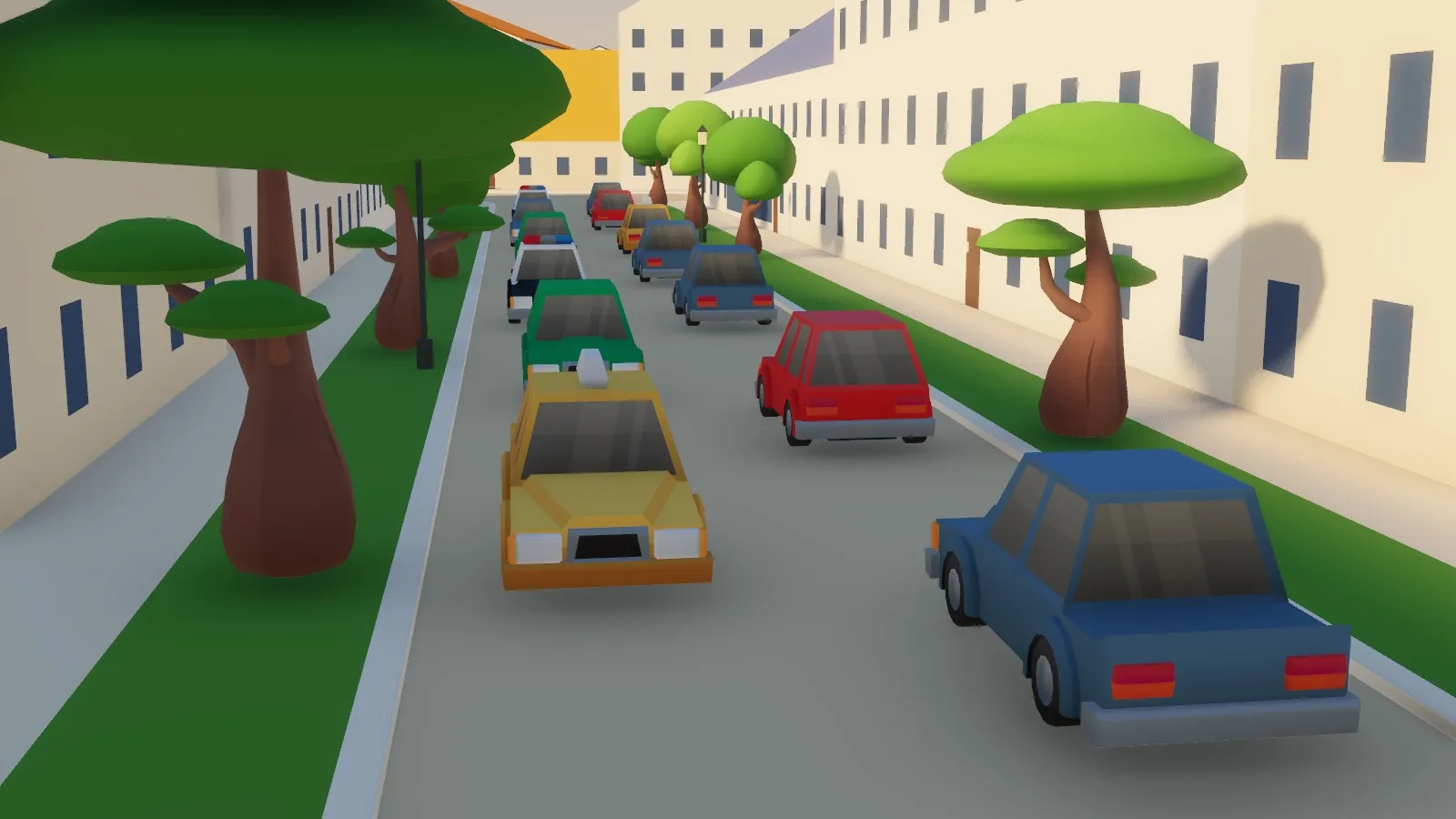
Down at street level: the taxi, a hatchback and a sedan up close, the police car and a station wagon behind, under the pack’s street trees. Cars placed by hand for the shot.
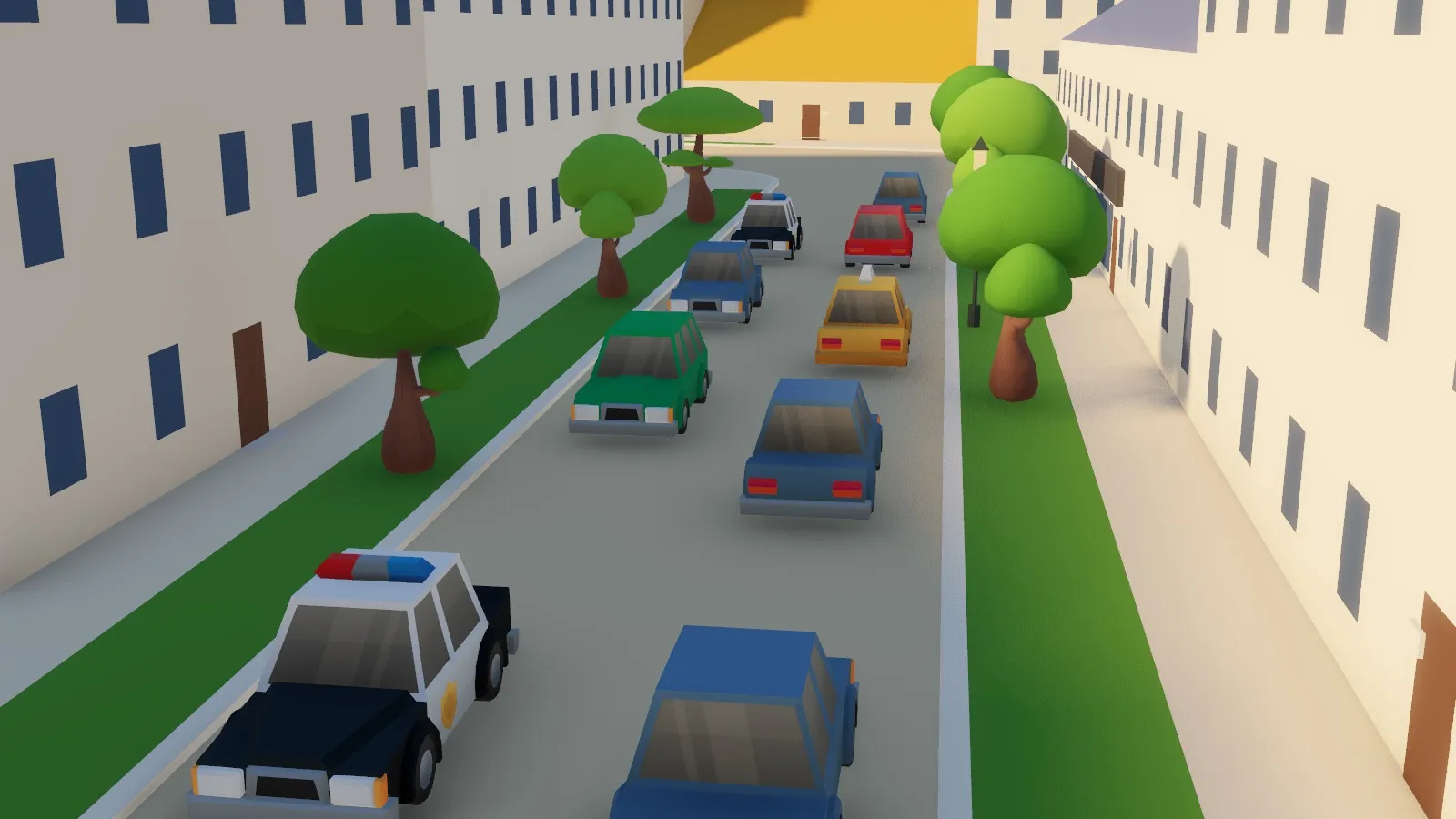
From higher up, all five cars in both lanes, each the length of a real car and pointing the way its lane runs. Cars placed by hand for the shot.
What stays the same
The pack models only change how things look. The town grows the same trees in the same places with or without them, and the same cars drive the same routes. Nothing that the town does or measures depends on a model, so nothing about a run changes. If you do not like them, start the client with --set=assets.enabled=false and it goes back to the built-in shapes.
They also cost a little: with the packs on, a wide view of the river valley’s 125,000 trees took about 13 ms a frame in our measurement, against about 8 ms for the built-in shapes, and reading the forest pack takes about a quarter of a second at start.
Credits
Trees, bushes, rocks, grass and cars by Kay Lousberg, from the KayKit Forest Nature Pack and KayKit City Builder Bits, both CC0. Thank you, Kay.
What comes next
More kinds of model: street furniture such as lamps and benches, and lorries once the town sends them. Mods will ship packs the same way, as a folder with a licence and a description for each model, and extra packs can already be added at start with --asset-pack=<folder>.